
Home / Help / G-SOFT Channeling Center
Topic 3 of 12මාතෘකාව 3 / 12
Book a patient
Find or register the patient, choose the doctor’s session, and book — the patient gets a queue number and a receipt.
Step 1 of 4පියවර 1 / 4
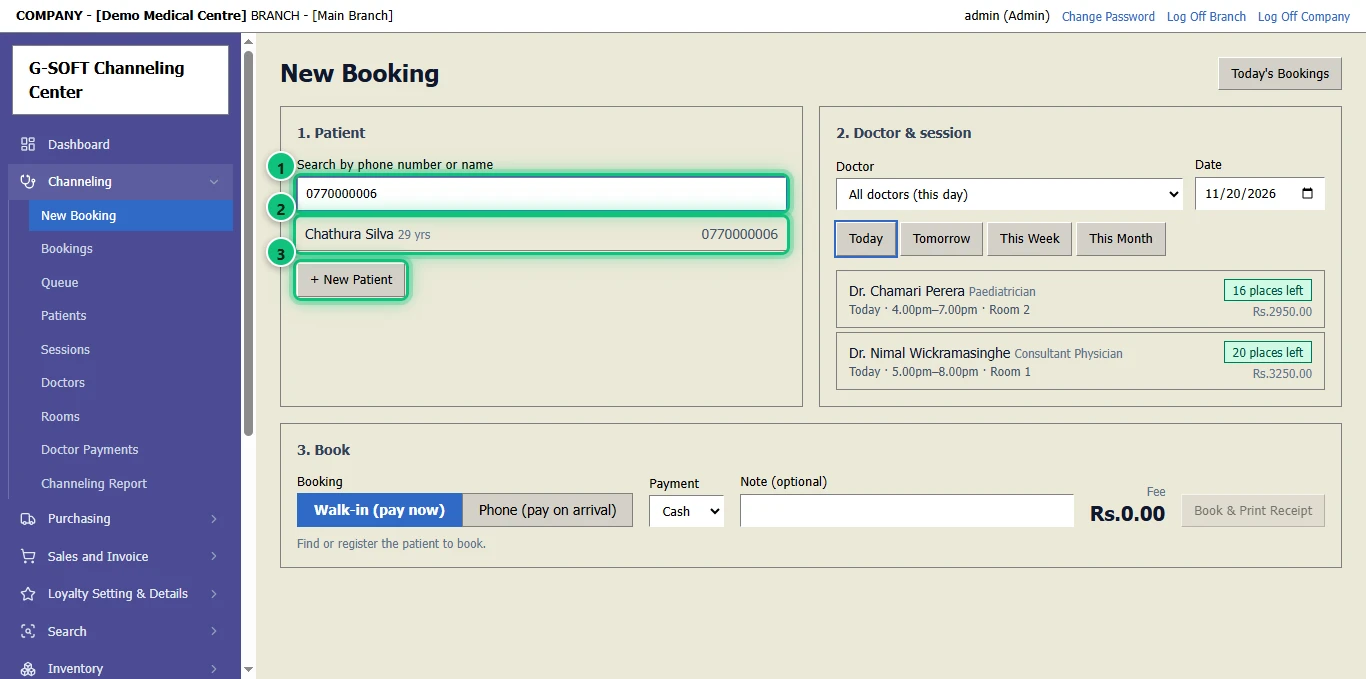
- Open Channeling → New Booking.
- 1. Patient: type the patient’s phone number or name 1 and pick them 2.
- A new patient? Click + New Patient 3 and type their name, phone and age.
- Channeling → New Booking විවෘත කරන්න.
- 1. Patient: රෝගියාගේ දුරකථන අංකය හෝ නම 1 ටයිප් කර ඔවුන් තෝරන්න 2.
- නව රෝගියෙක්ද? + New Patient 3 ක්ලික් කර නම, දුරකථනය සහ වයස ටයිප් කරන්න.
Step 2 of 4පියවර 2 / 4
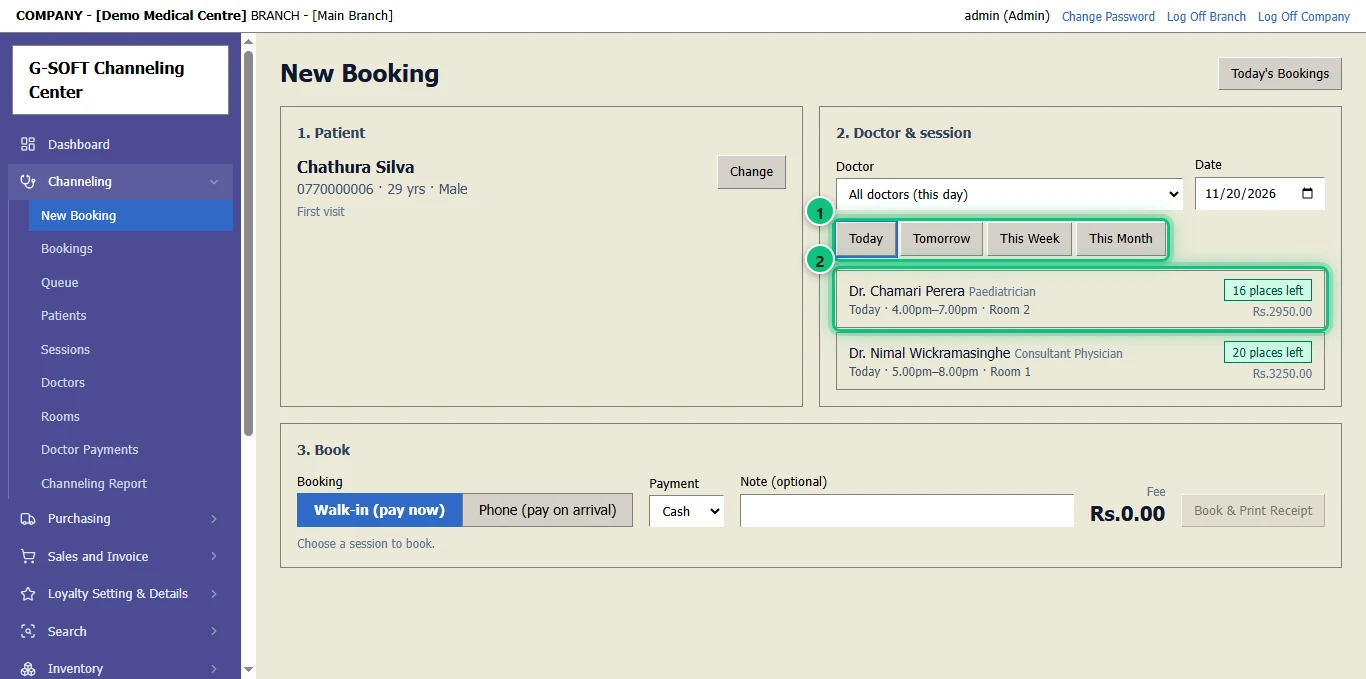
- 2. Doctor & session: choose the day 1 — Today, Tomorrow, This Week — or a doctor.
- Click the session 2. It shows the time and how many places are left.
- 2. Doctor & session: දිනය 1 — Today, Tomorrow, This Week — හෝ වෛද්යවරයෙකු තෝරන්න.
- සැසිය 2 ක්ලික් කරන්න. එය වේලාව සහ ඉතිරි ස්ථාන ගණන පෙන්වයි.
Step 3 of 4පියවර 3 / 4
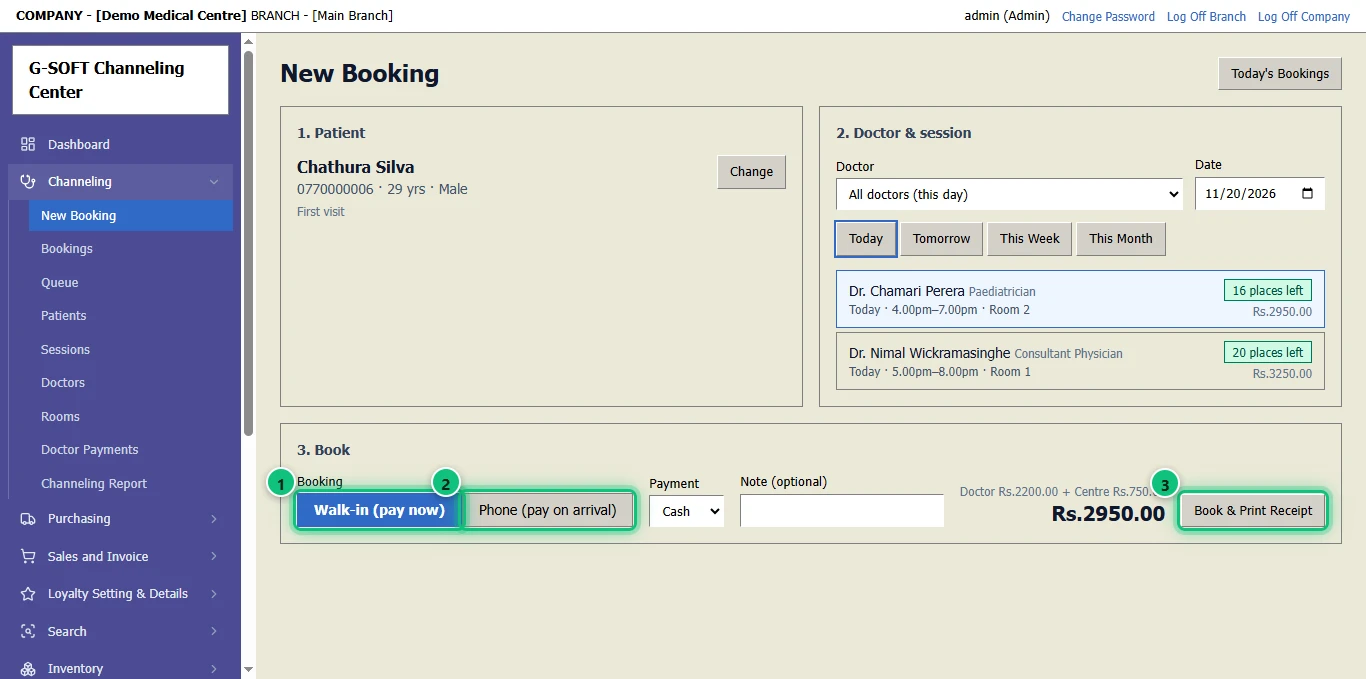
- 3. Book: Walk-in (pay now) 1 for a patient at the counter — choose how they pay.
- Phone (pay on arrival) 2 for a phone booking: they pay when they arrive, and get an SMS with their number.
- Click Book & Print Receipt 3.
- 3. Book: කවුන්ටරයේ සිටින රෝගියෙකුට Walk-in (pay now) 1 — ගෙවන ආකාරය තෝරන්න.
- දුරකථන වෙන්කිරීමකට Phone (pay on arrival) 2: ඔවුන් පැමිණි විට ගෙවන අතර ඔවුන්ගේ අංකය සමඟ SMS එකක් ලැබේ.
- Book & Print Receipt 3 ක්ලික් කරන්න.
Step 4 of 4පියවර 4 / 4
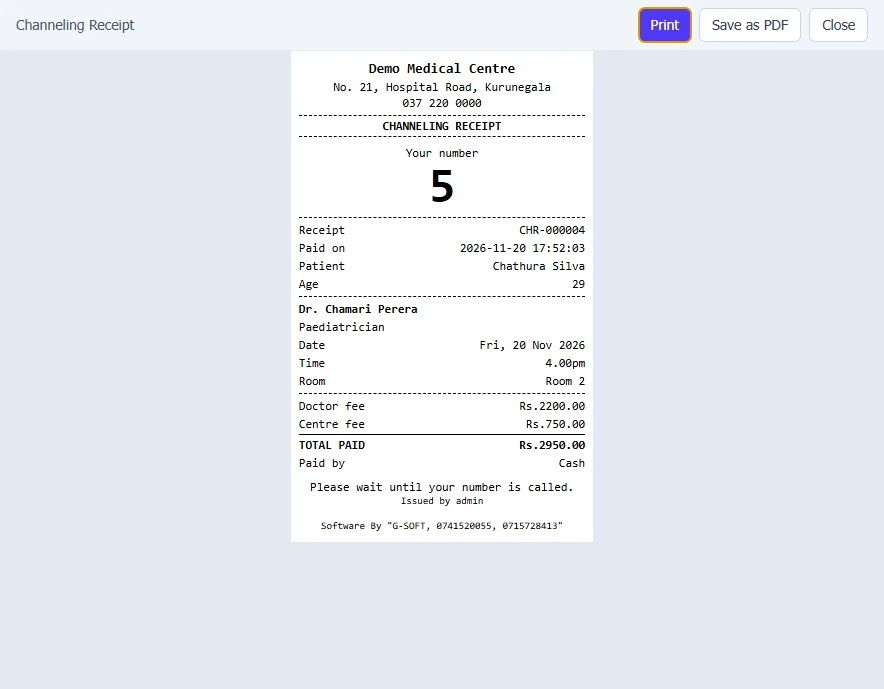
- The receipt with the patient’s queue number, the doctor, the session time and the fee.
- රෝගියාගේ පෝලිම් අංකය, වෛද්යවරයා, සැසි වේලාව සහ ගාස්තුව සහිත රිසිට්පත.