
Home / Help / G-SOFT Textile Manager
Topic 13 of 16මාතෘකාව 13 / 16
Take a tailoring order
Write down a customer’s garments and measurements, take an advance, follow the work, and hand it over when it is ready.
Step 1 of 4පියවර 1 / 4
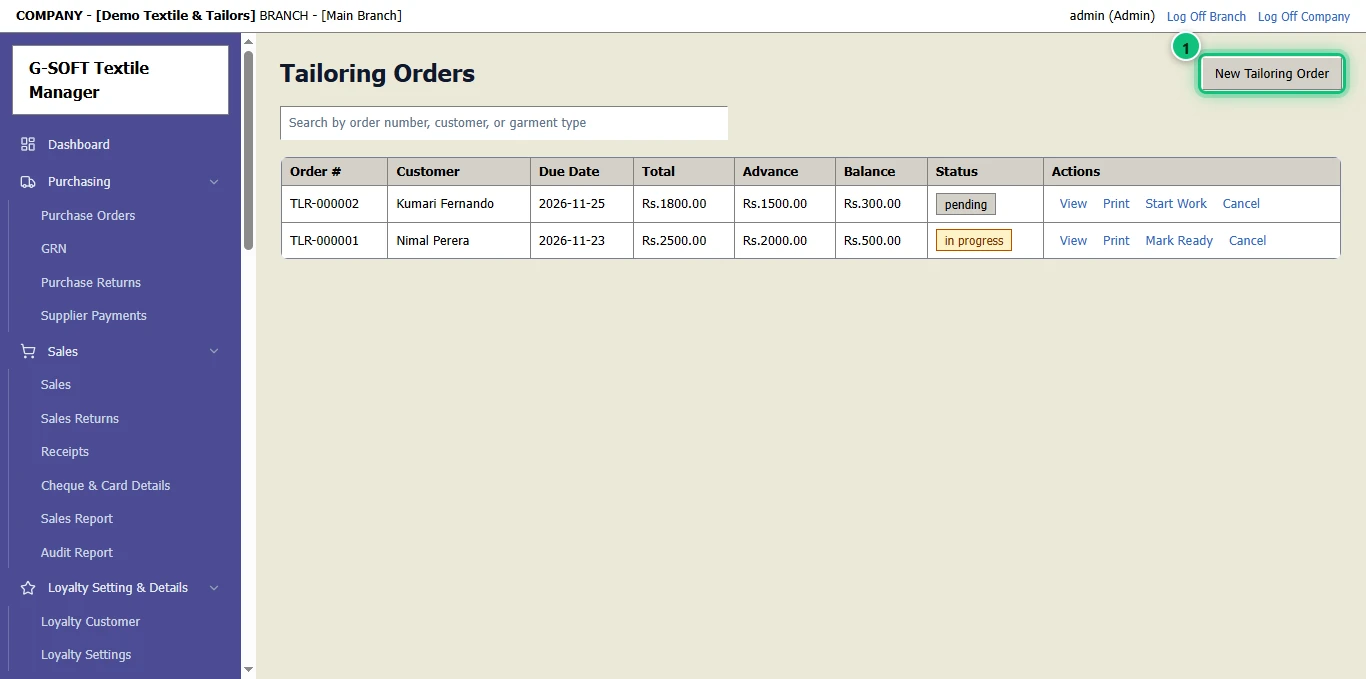
- Open Tailoring → Tailoring Orders.
- Click New Tailoring Order 1.
- Tailoring → Tailoring Orders විවෘත කරන්න.
- New Tailoring Order 1 ක්ලික් කරන්න.
Step 2 of 4පියවර 2 / 4
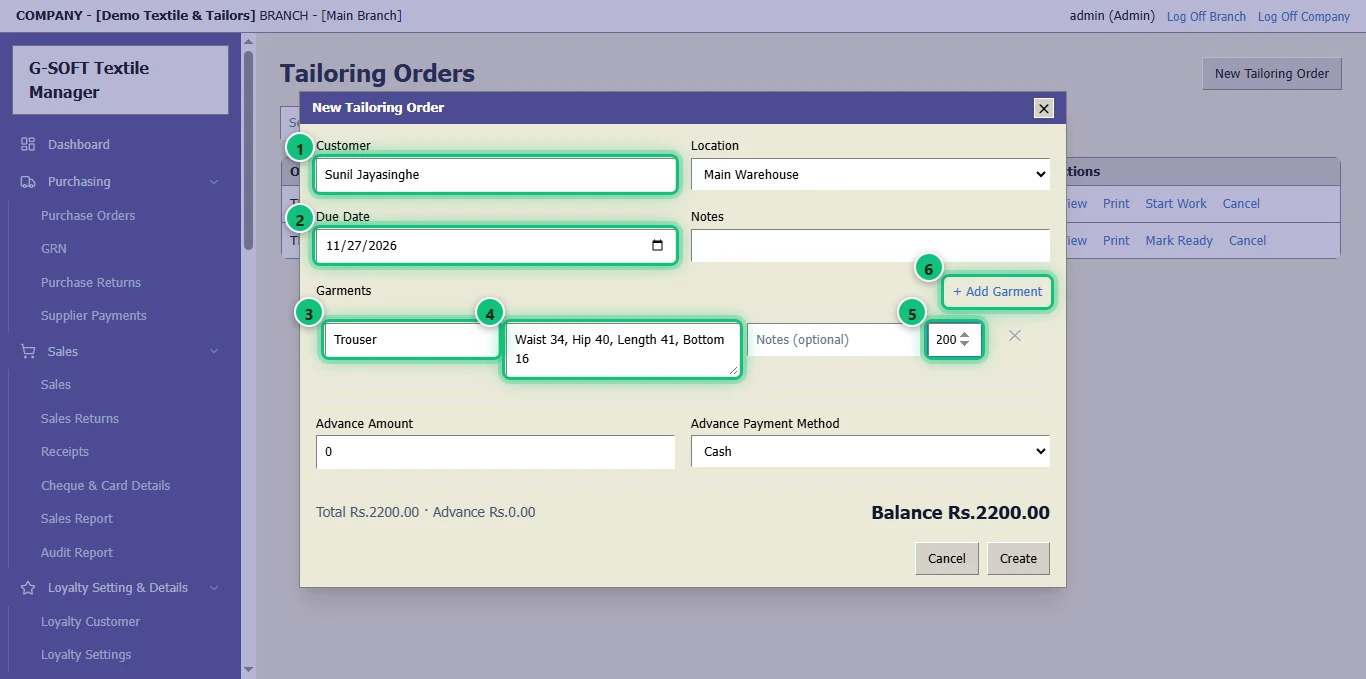
- Choose the Customer 1 and the Due Date 2 — the day it will be ready.
- For each garment, type the garment type 3, the measurements 4 and the price 5.
- More than one garment? Click + Add Garment 6.
- Customer 1 සහ Due Date 2 — සූදානම් වන දිනය — තෝරන්න.
- සෑම ඇඳුමකටම ඇඳුම් වර්ගය 3, මිනුම් 4 සහ මිල 5 ටයිප් කරන්න.
- ඇඳුම් එකකට වඩා තිබේද? + Add Garment 6 ක්ලික් කරන්න.
Step 3 of 4පියවර 3 / 4
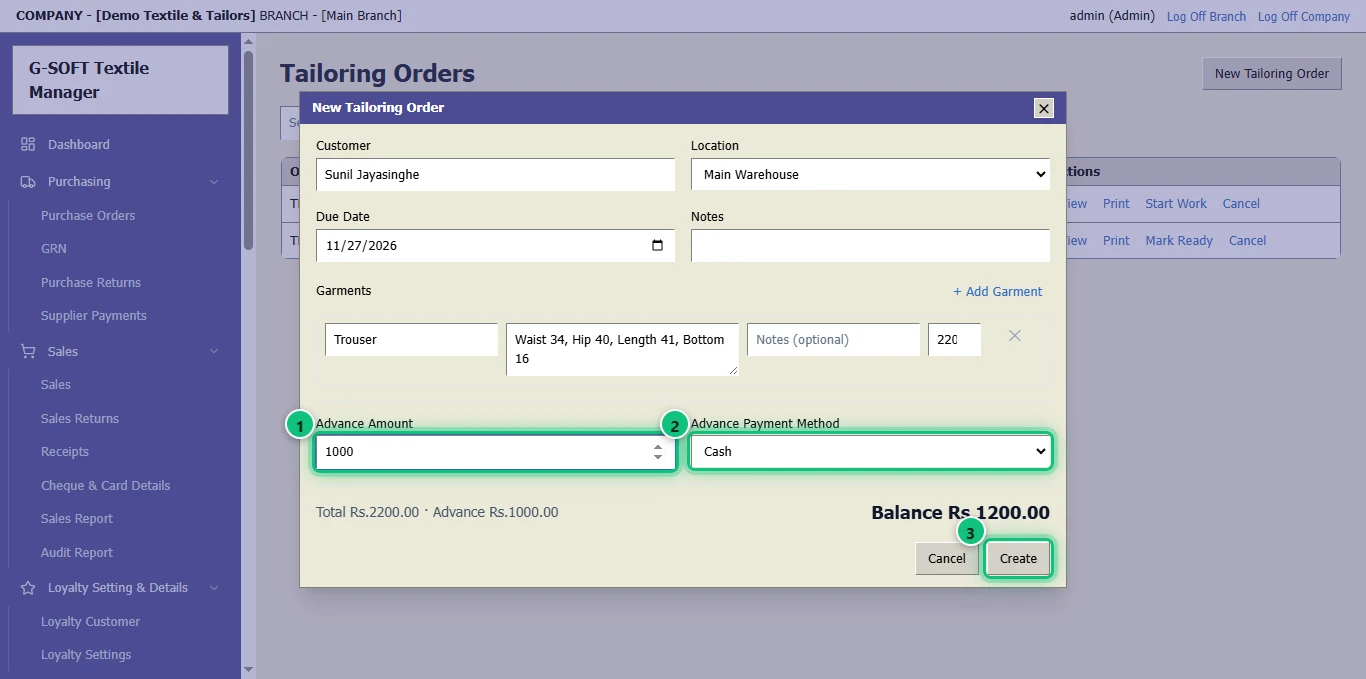
- Type the Advance Amount 1 the customer pays now, and how they paid 2.
- Click Create 3.
- ගනුදෙනුකරු දැන් ගෙවන Advance Amount 1 සහ ගෙවූ ආකාරය 2 දෙන්න.
- Create 3 ක්ලික් කරන්න.
Step 4 of 4පියවර 4 / 4
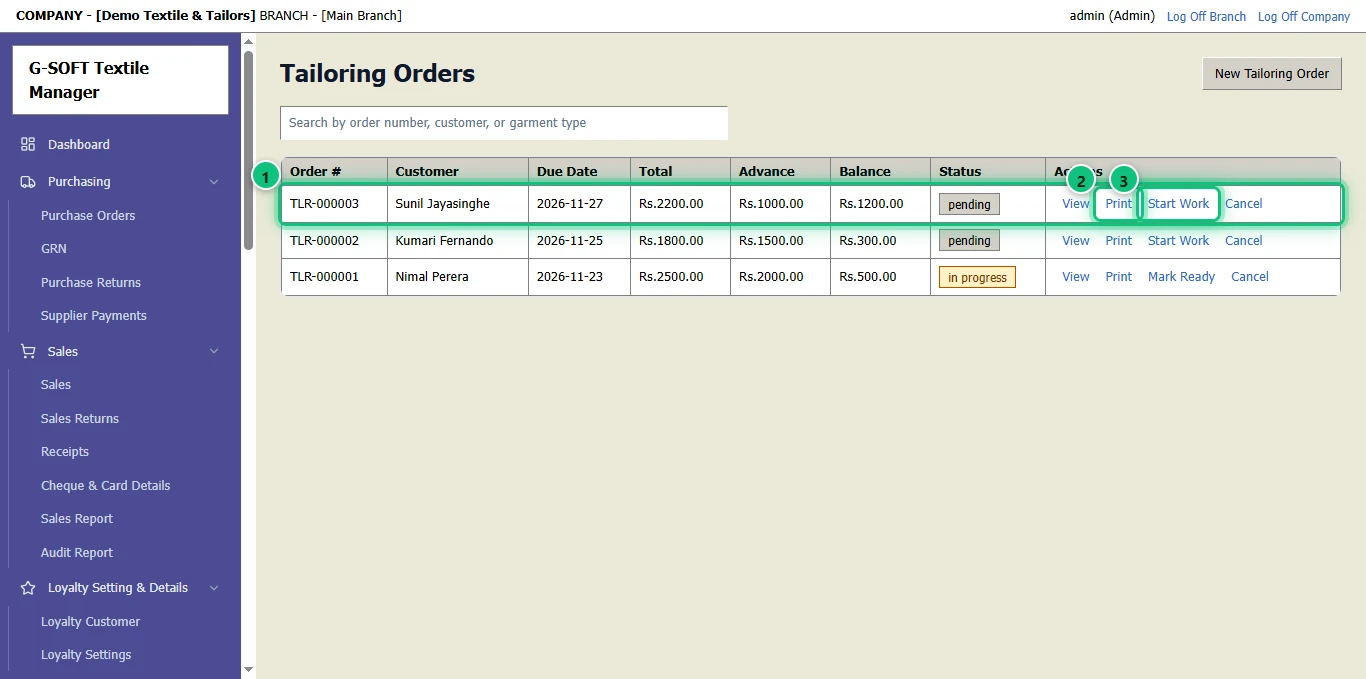
- The order is listed 1 with its total, advance and balance.
- Print 2 prints the order slip for the customer and the tailor, with the measurements.
- Move it along as the work goes: Start Work 3 → Mark Ready → Deliver. When you deliver, the balance is collected.
- ඇණවුම එහි මුළු මුදල, අත්තිකාරම සහ ශේෂය සමඟ ලැයිස්තුගත වේ 1.
- Print 2 ගනුදෙනුකරුට සහ මහන්නාට මිනුම් සහිත ඇණවුම් පත්රය මුද්රණය කරයි.
- වැඩය යන ආකාරයට එය ඉදිරියට ගෙන යන්න: Start Work 3 → Mark Ready → Deliver. භාර දෙන විට ශේෂය ලබාගනී.