
Home / Help / G-SOFT Textile Manager
Topic 5 of 16මාතෘකාව 5 / 16
Colours and sizes (variants)
A shirt that comes in colours and sizes is one product with a variant for each colour/size. Every variant has its own stock and barcode, and is sold on its own.
Step 1 of 3පියවර 1 / 3
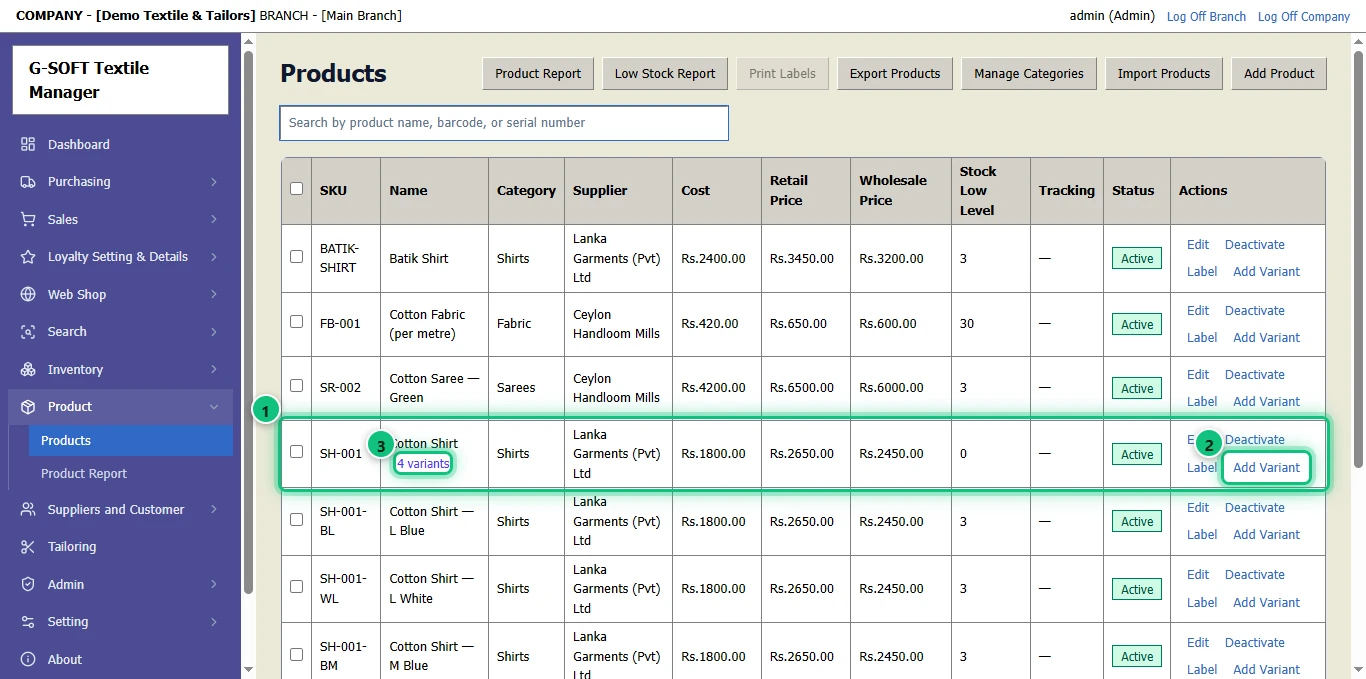
- Open Product → Products and find the main product 1 — for example Cotton Shirt.
- Click Add Variant 2 to add a colour/size.
- 4 variants 3 shows the ones it already has.
- Product → Products විවෘත කර ප්රධාන භාණ්ඩය 1 සොයන්න — උදා: Cotton Shirt.
- වර්ණයක්/ප්රමාණයක් එක් කිරීමට Add Variant 2 ක්ලික් කරන්න.
- 4 variants 3 දැනට ඇති ඒවා පෙන්වයි.
Step 2 of 3පියවර 2 / 3
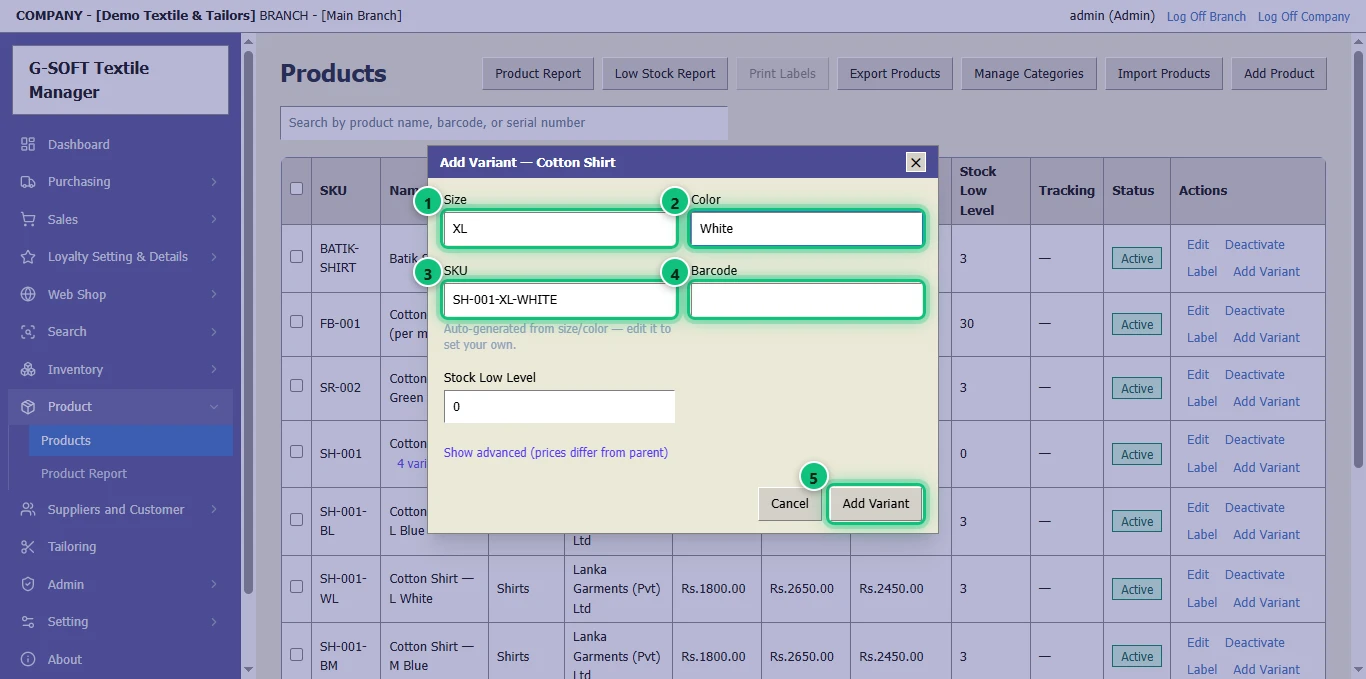
- Type the Size 1 and Color 2.
- The SKU 3 is made for you. Scan the variant’s own Barcode 4 if it has one.
- It takes the main product’s prices — Show advanced lets you give it different prices.
- Click Add Variant 5. It is saved as Cotton Shirt — XL White, with stock 0 until you receive it in a GRN.
- Size 1 සහ Color 2 ඇතුළත් කරන්න.
- SKU 3 ස්වයංක්රීයව සෑදේ. variant එකට වෙනම Barcode 4 එකක් ඇත්නම් ස්කෑන් කරන්න.
- එය ප්රධාන භාණ්ඩයේ මිල ගනී — වෙනස් මිලක් දීමට Show advanced භාවිතා කරන්න.
- Add Variant 5 ක්ලික් කරන්න. එය Cotton Shirt — XL White ලෙස සුරැකේ; GRN එකකින් ලැබෙන තුරු තොගය 0 කි.
Step 3 of 3පියවර 3 / 3
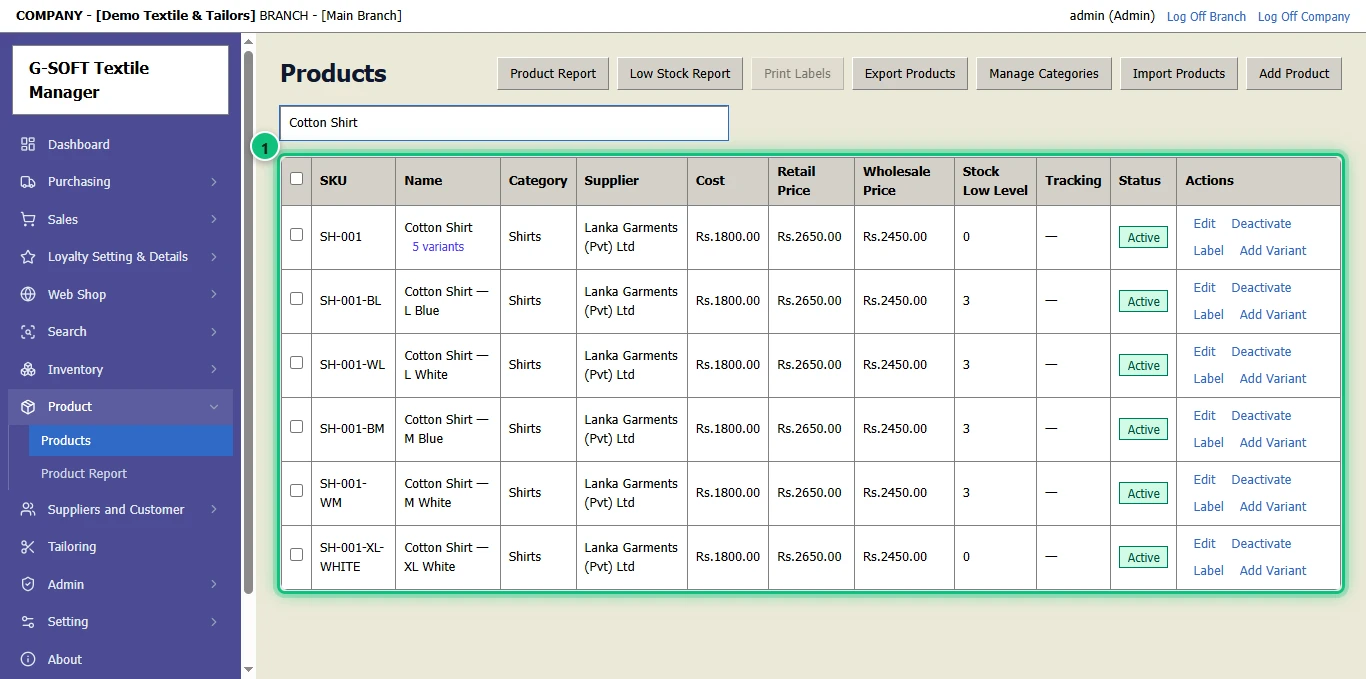
- Every colour/size is its own line 1, with its own stock. On an invoice, scan the variant’s barcode or pick the colour and size from the list.
- සෑම වර්ණයක්/ප්රමාණයක්ම තමන්ගේම තොගය සමඟ වෙනම පේළියකි 1. ඉන්වොයිසියකදී variant එකේ බාකෝඩ් එක ස්කෑන් කරන්න, නැතහොත් ලැයිස්තුවෙන් වර්ණය සහ ප්රමාණය තෝරන්න.