
Home / Help / G-SOFT Play Zone
Topic 9 of 16මාතෘකාව 9 / 16
Loyalty points
Regular families earn points on every visit and spend them on a later one. Points follow the mobile number.
Step 1 of 2පියවර 1 / 2
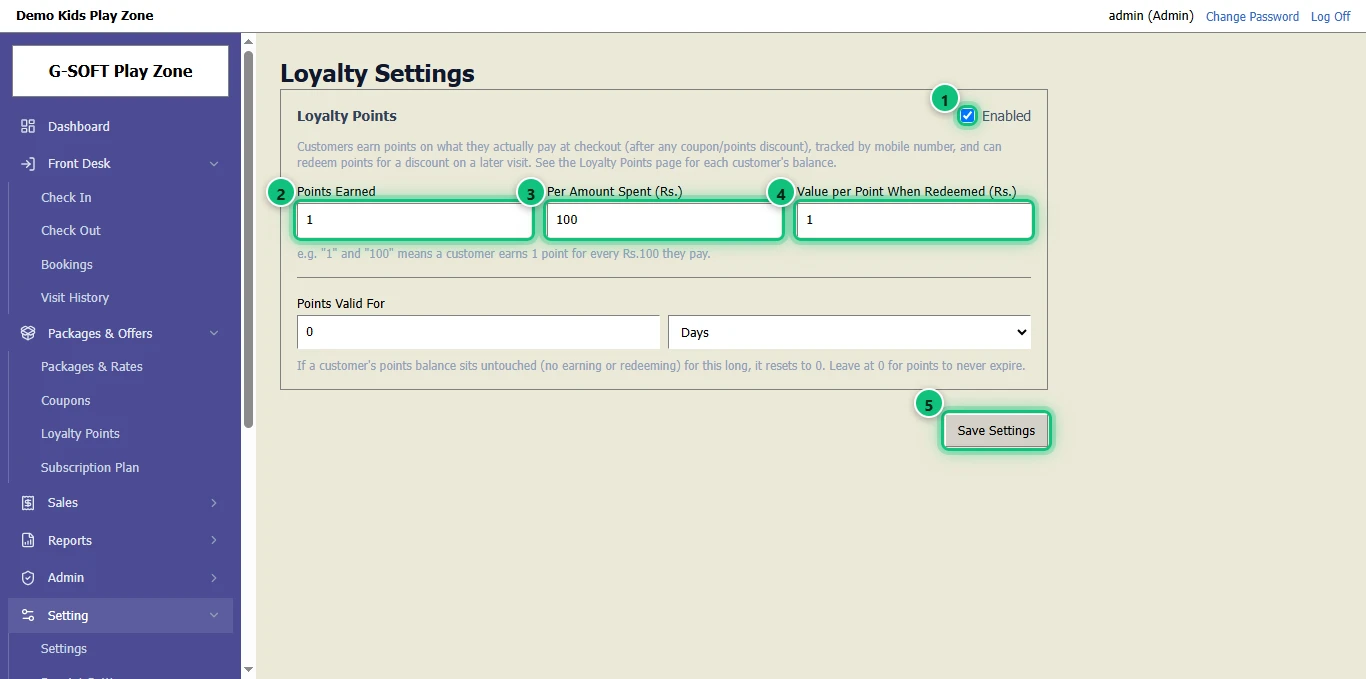
- Open Setting → Loyalty Settings.
- Tick Enabled 1.
- Set how many points 2 are earned for each amount spent 3 — for example 1 point for every Rs.100.
- Set what one point is worth when spent 4, and how long points stay valid. Click Save Settings 5.
- Setting → Loyalty Settings විවෘත කරන්න.
- Enabled 1 සලකුණු කරන්න.
- වියදම් කරන මුදල 3 සඳහා ලැබෙන ලකුණු 2 ගණන දෙන්න — උදා: සෑම Rs.100 කටම ලකුණු 1යි.
- වියදම් කරන විට ලකුණක වටිනාකම 4 සහ ලකුණු වලංගු කාලය දෙන්න. Save Settings 5 ක්ලික් කරන්න.
Step 2 of 2පියවර 2 / 2
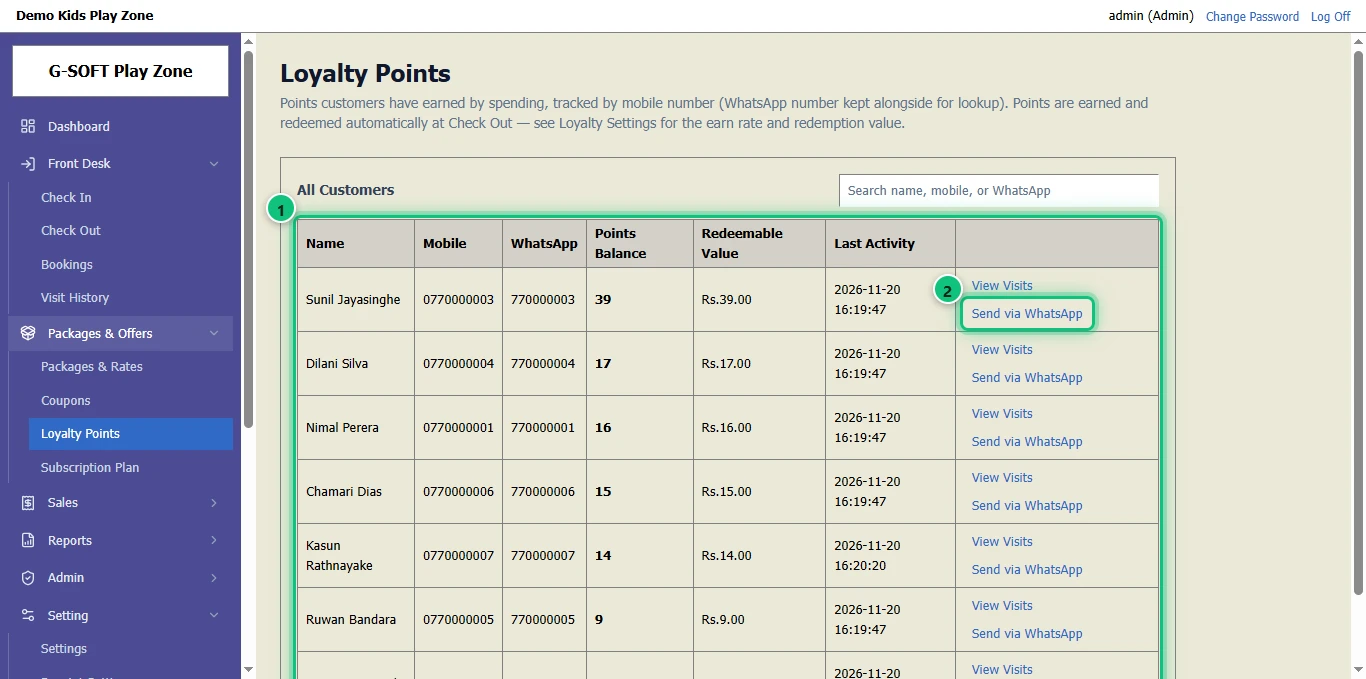
- Packages & Offers → Loyalty Points lists every customer’s points balance and what it is worth 1.
- Send via WhatsApp 2 tells the customer their points.
- At check-out, points are added by themselves; a customer with enough points can spend them on the bill.
- Packages & Offers → Loyalty Points සෑම ගනුදෙනුකරුවෙකුගේම ලකුණු ශේෂය සහ එහි වටිනාකම 1 පෙන්වයි.
- Send via WhatsApp 2 ගනුදෙනුකරුට ඔවුන්ගේ ලකුණු දන්වයි.
- පිටවන විට ලකුණු තනිවම එකතු වේ; ප්රමාණවත් ලකුණු ඇති ගනුදෙනුකරුවෙකුට ඒවා බිලට භාවිතා කළ හැක.