
Home / Help / G-SOFT Play Zone
Topic 10 of 16මාතෘකාව 10 / 16
Sell snacks and drinks
Sell juice, snacks and other items from your counter on a separate invoice.
Step 1 of 4පියවර 1 / 4
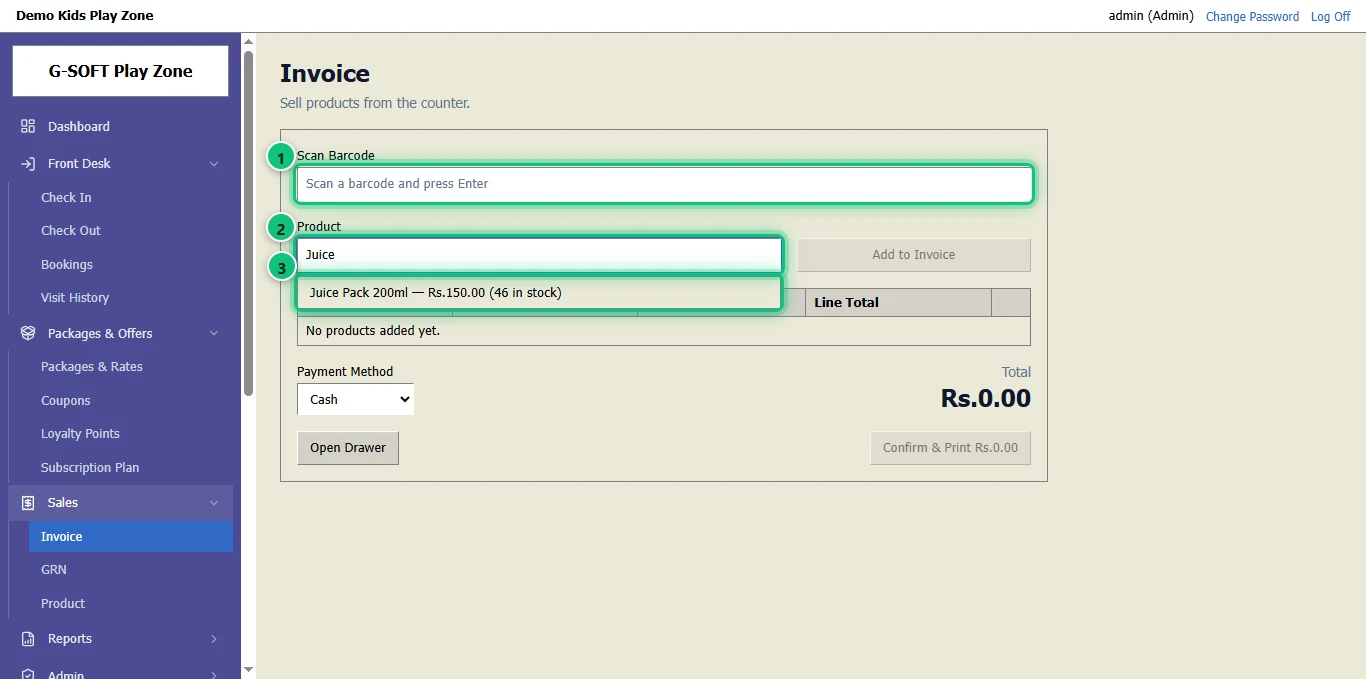
- Open Sales → Invoice — or press F4.
- Scan the barcode 1 — or type the product name 2 and pick it 3.
- Sales → Invoice විවෘත කරන්න — නැතහොත් F4 ඔබන්න.
- බාකෝඩ් එක ස්කෑන් කරන්න 1 — නැතහොත් භාණ්ඩයේ නම ටයිප් කර 2 එය තෝරන්න 3.
Step 2 of 4පියවර 2 / 4
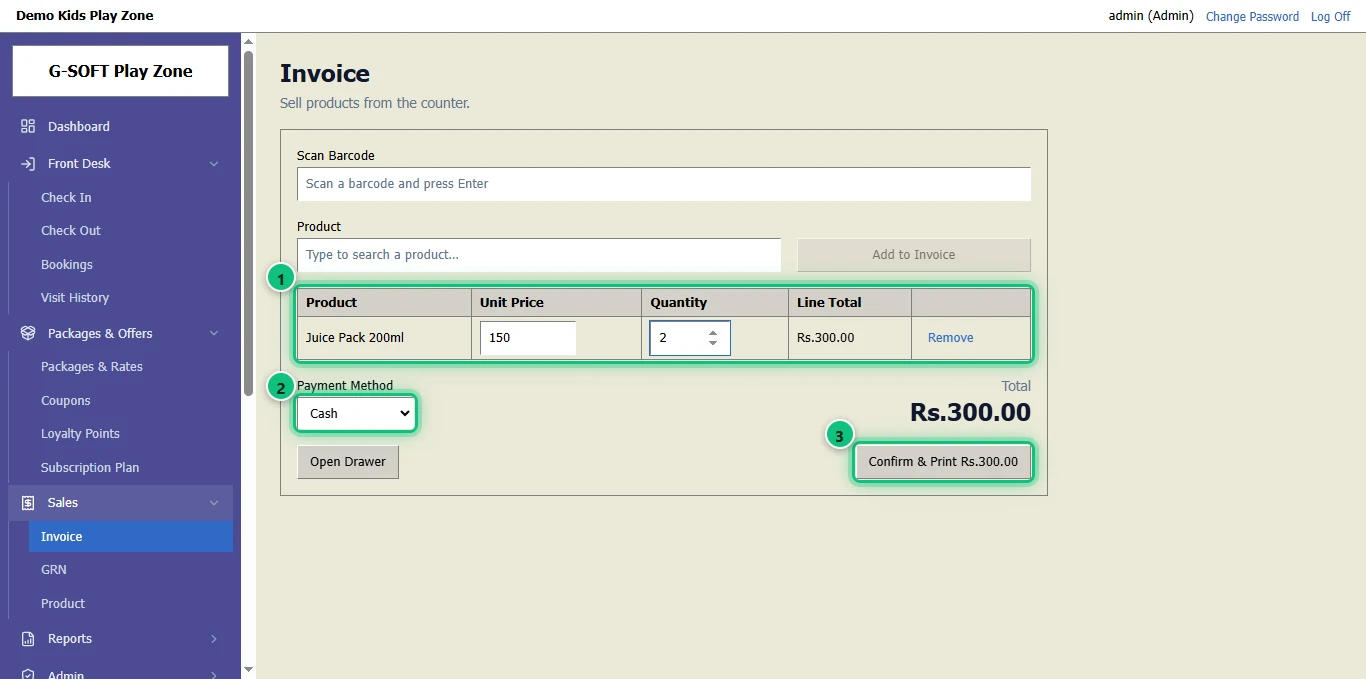
- Check the items 1 — change the Quantity if needed. Add more items the same way.
- Choose the Payment Method 2.
- Click Confirm & Print 3.
- භාණ්ඩ 1 පරීක්ෂා කරන්න — අවශ්ය නම් Quantity වෙනස් කරන්න. තවත් භාණ්ඩ එලෙසම එක් කරන්න.
- Payment Method 2 තෝරන්න.
- Confirm & Print 3 ක්ලික් කරන්න.
Step 3 of 4පියවර 3 / 4
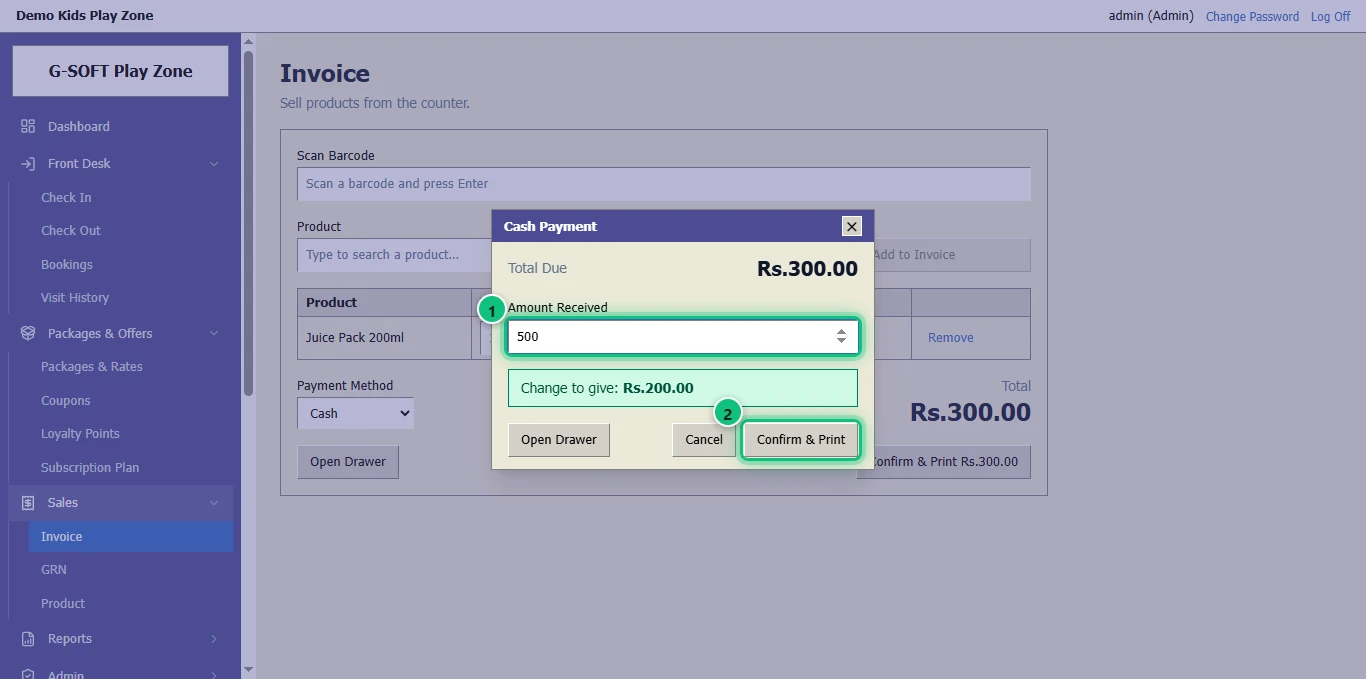
- For cash, type the money received 1 — the change is shown.
- Click Confirm & Print 2. The stock goes down and the invoice opens to print.
- මුදල් නම්, ලැබුණු මුදල 1 ටයිප් කරන්න — ඉතිරිය පෙන්වයි.
- Confirm & Print 2 ක්ලික් කරන්න. තොගය අඩු වන අතර ඉන්වොයිසිය මුද්රණයට විවෘත වේ.
Step 4 of 4පියවර 4 / 4
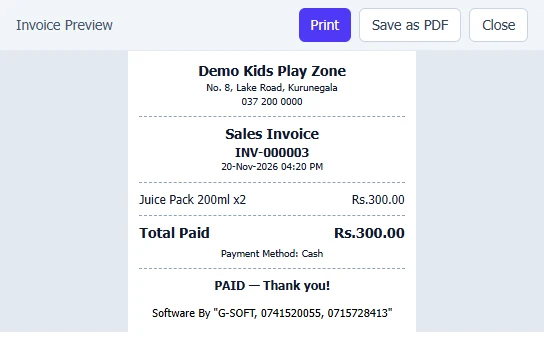
- The invoice, ready to print.
- මුද්රණයට සූදානම් ඉන්වොයිසිය.