
Home / Help / G-SOFT Play Zone
Topic 11 of 16මාතෘකාව 11 / 16
Add shop items and receive stock
Add each snack or drink you sell once, then enter new stock when it arrives (GRN).
Step 1 of 2පියවර 1 / 2
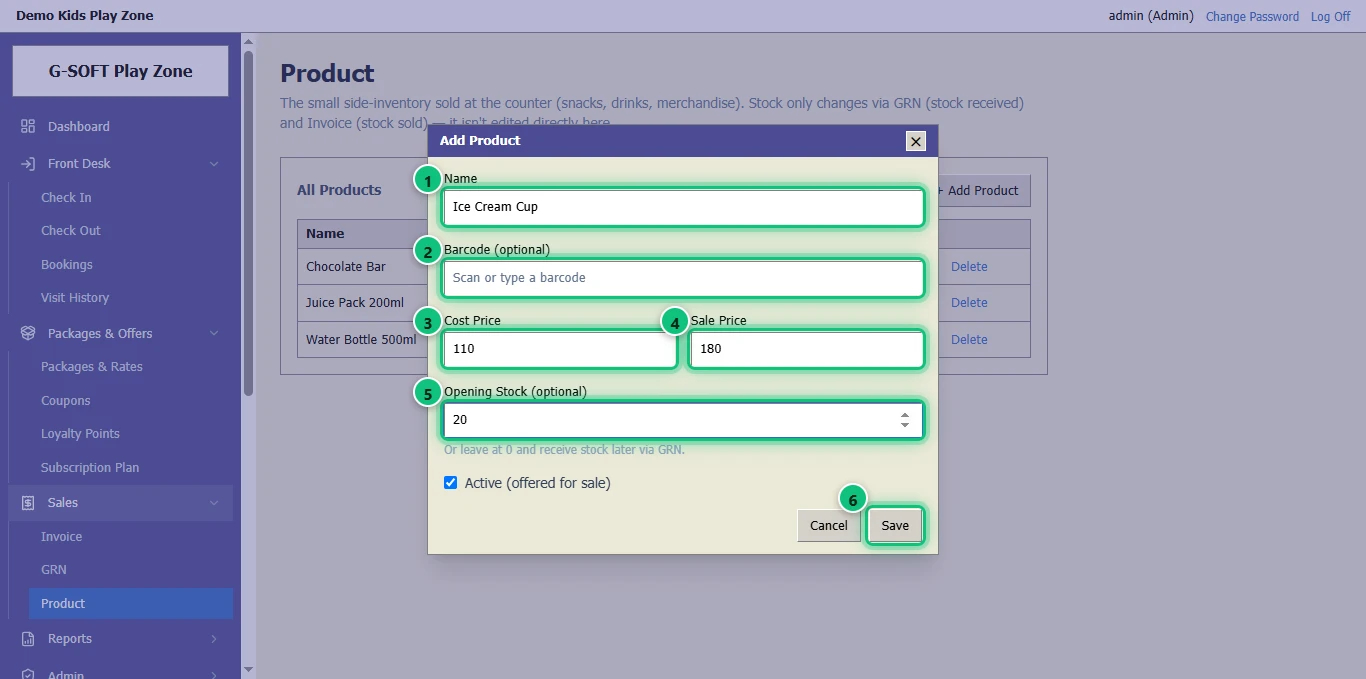
- Open Sales → Product and click + Add Product.
- Type the Name 1. Scan its Barcode 2 if it has one.
- Type the Cost Price 3 and Sale Price 4.
- The Opening Stock 5 is how many you have now. Click Save 6.
- Sales → Product විවෘත කර + Add Product ක්ලික් කරන්න.
- Name 1 ඇතුළත් කරන්න. Barcode එකක් 2 ඇත්නම් ස්කෑන් කරන්න.
- Cost Price 3 සහ Sale Price 4 ඇතුළත් කරන්න.
- Opening Stock 5 යනු දැනට ඇති ගණනයි. Save 6 ක්ලික් කරන්න.
Step 2 of 2පියවර 2 / 2
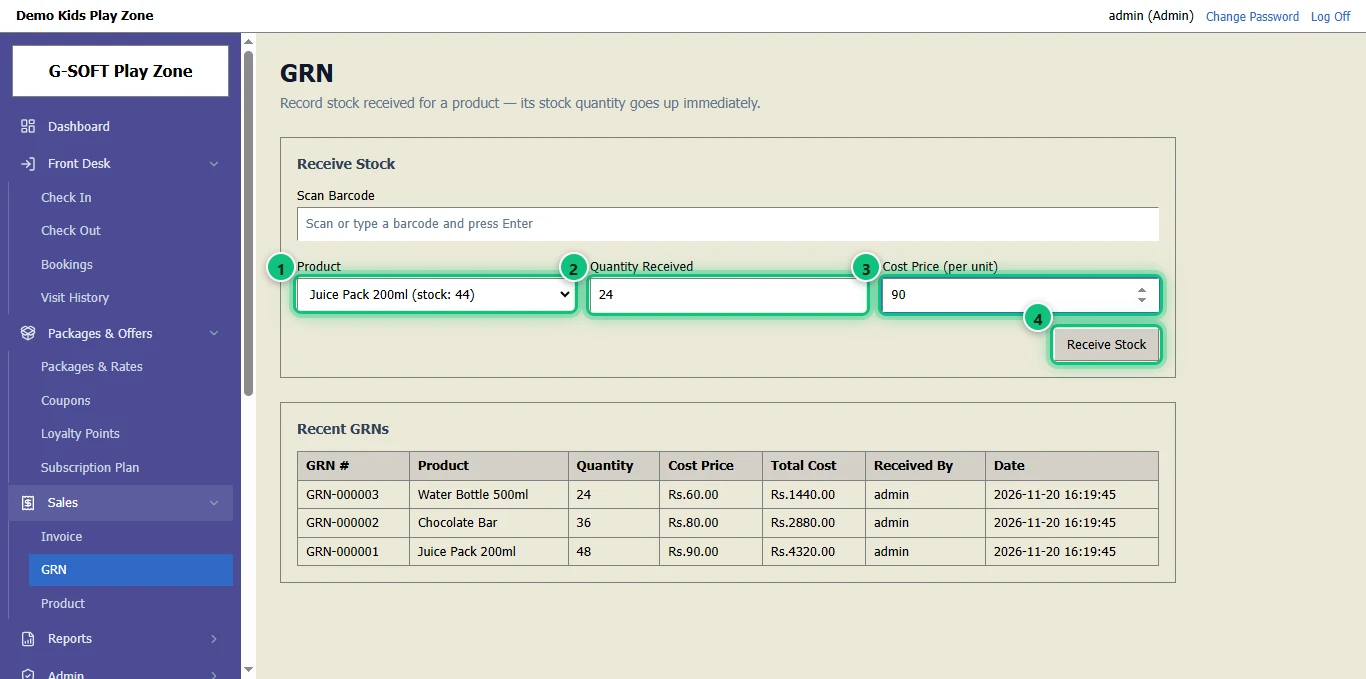
- When stock arrives, open Sales → GRN.
- Scan the barcode or choose the Product 1.
- Type the Quantity Received 2 and the Cost Price 3 of one.
- Click Receive Stock 4. The stock goes up and the GRN is listed under Recent GRNs.
- තොග ලැබුණු විට Sales → GRN විවෘත කරන්න.
- බාකෝඩ් එක ස්කෑන් කරන්න හෝ Product 1 තෝරන්න.
- Quantity Received 2 සහ එකක Cost Price 3 ඇතුළත් කරන්න.
- Receive Stock 4 ක්ලික් කරන්න. තොගය වැඩි වන අතර GRN එක Recent GRNs යටතේ ලැයිස්තුගත වේ.