
Home / Help / G-SOFT Channeling Center
Topic 7 of 12මාතෘකාව 7 / 12
Add a doctor and their timetable
Add each doctor with their fees, then their weekly timetable — which days, what time, which room and how many patients.
Step 1 of 3පියවර 1 / 3
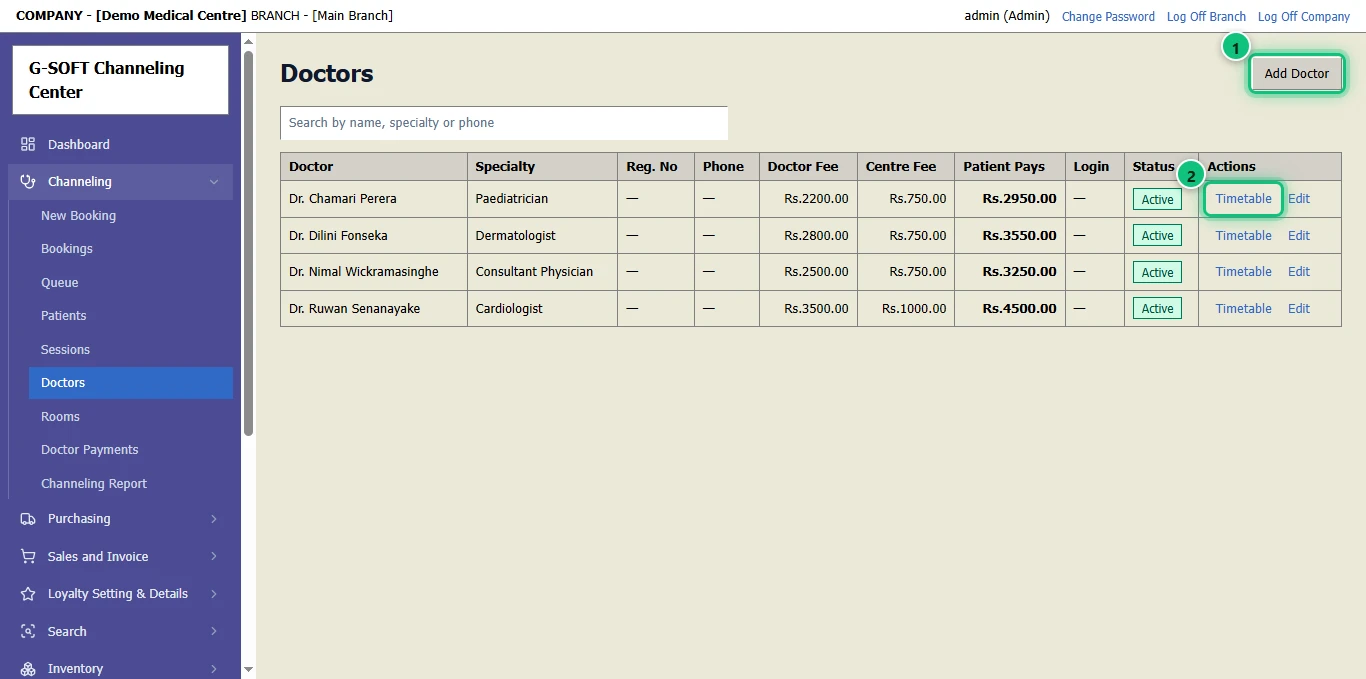
- Open Channeling → Doctors. Add Doctor 1 adds a doctor: title, name, specialty, the doctor fee and the centre fee (together they make the patient’s fee).
- Timetable 2 sets the doctor’s weekly sessions.
- Channeling → Doctors විවෘත කරන්න. Add Doctor 1 වෛද්යවරයෙකු එක් කරයි: නාමය, නම, විශේෂත්වය, වෛද්ය ගාස්තුව සහ මධ්යස්ථාන ගාස්තුව (දෙකම එකතුව රෝගියාගේ ගාස්තුවයි).
- Timetable 2 වෛද්යවරයාගේ සතිපතා සැසි සකසයි.
Step 2 of 3පියවර 2 / 3
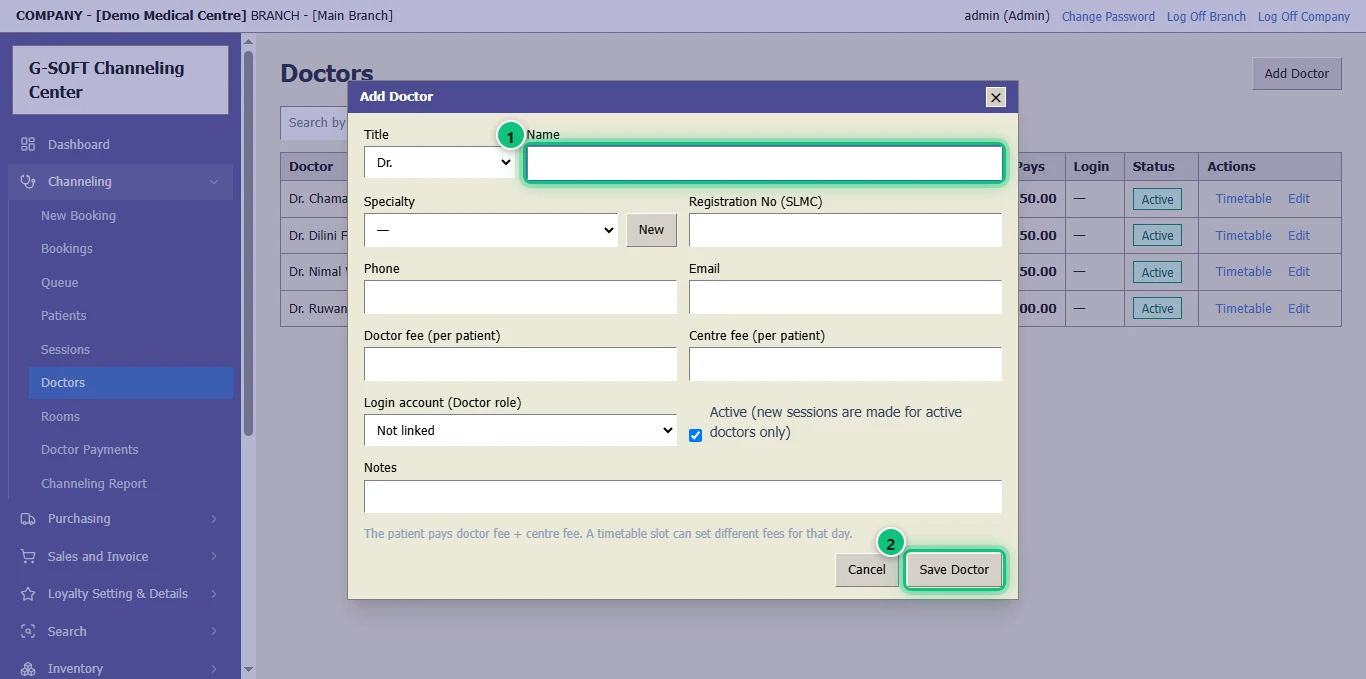
- Fill in the doctor’s details 1 — name, specialty, registration number, phone and the two fees.
- Click Save 2.
- වෛද්යවරයාගේ විස්තර 1 පුරවන්න — නම, විශේෂත්වය, ලියාපදිංචි අංකය, දුරකථනය සහ ගාස්තු දෙක.
- Save 2 ක්ලික් කරන්න.
Step 3 of 3පියවර 3 / 3
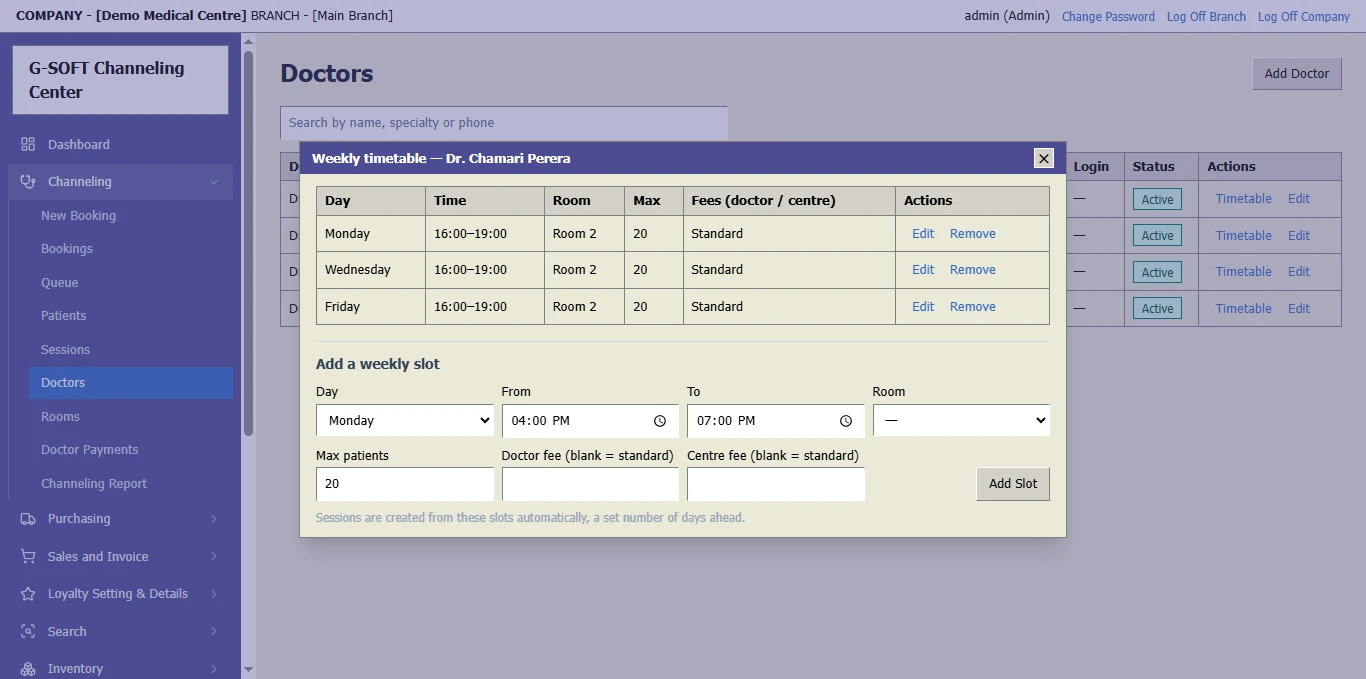
- The timetable: for each day the doctor comes, the start and end time, the room and the most patients. Sessions for the coming days are made from it by themselves (see "Sessions").
- කාලසටහන: වෛද්යවරයා පැමිණෙන සෑම දිනකටම ආරම්භක සහ අවසන් වේලාව, කාමරය සහ උපරිම රෝගීන් ගණන. ඉදිරි දිනවල සැසි එයින් තනිවම සෑදේ ("Sessions" බලන්න).