
Home / Help / G-SOFT Play Zone
Topic 4 of 16මාතෘකාව 4 / 16
Check out and take payment
When they leave, scan the receipt. The program works out the time played, extra time and add-ons, and prints the bill.
Step 1 of 5පියවර 1 / 5
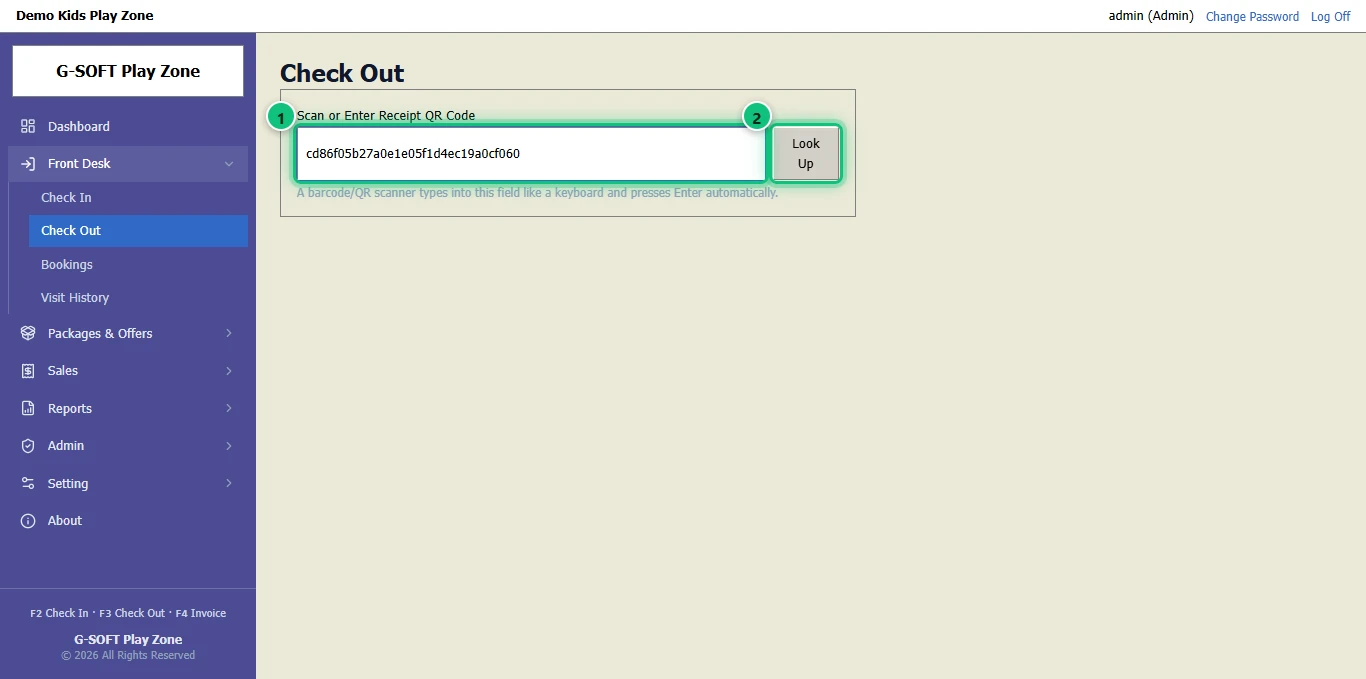
- Open Front Desk → Check Out — or press F3.
- Scan the QR code on the receipt 1. The scanner types it in and presses Enter — or click Look Up 2.
- Front Desk → Check Out විවෘත කරන්න — නැතහොත් F3 ඔබන්න.
- රිසිට්පතේ QR කේතය ස්කෑන් කරන්න 1. ස්කෑනරය එය ටයිප් කර Enter ඔබයි — නැතහොත් Look Up 2 ක්ලික් කරන්න.
Step 2 of 5පියවර 2 / 5
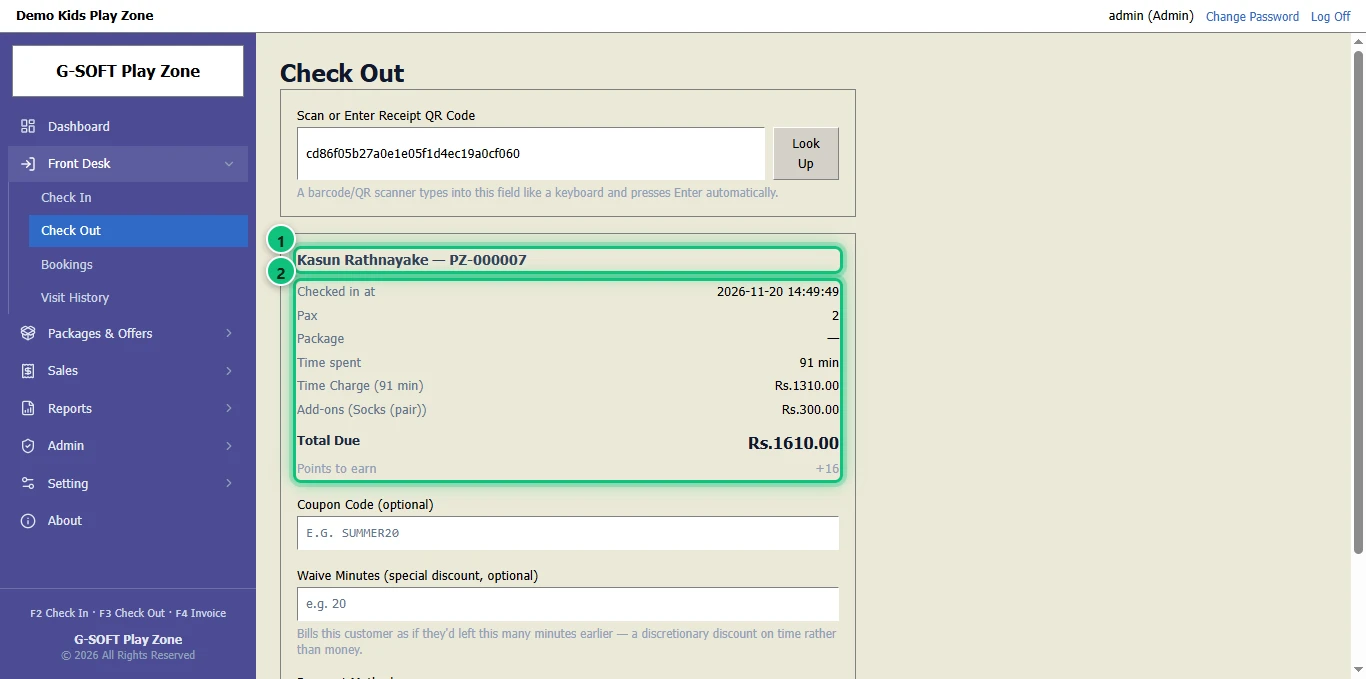
- The visit is shown 1: when they came in, how many, the package, the time spent, the time charge and add-ons.
- Total Due 2 is the bill. Loyalty points they will earn are shown under it.
- පැමිණීම පෙන්වයි 1: ඇතුළු වූ වේලාව, ගණන, පැකේජය, ගත කළ කාලය, කාල ගාස්තුව සහ add-ons.
- Total Due 2 යනු බිලයි. ලැබෙන ලෝයල්ටි ලකුණු එයට පහළින් පෙන්වයි.
Step 3 of 5පියවර 3 / 5
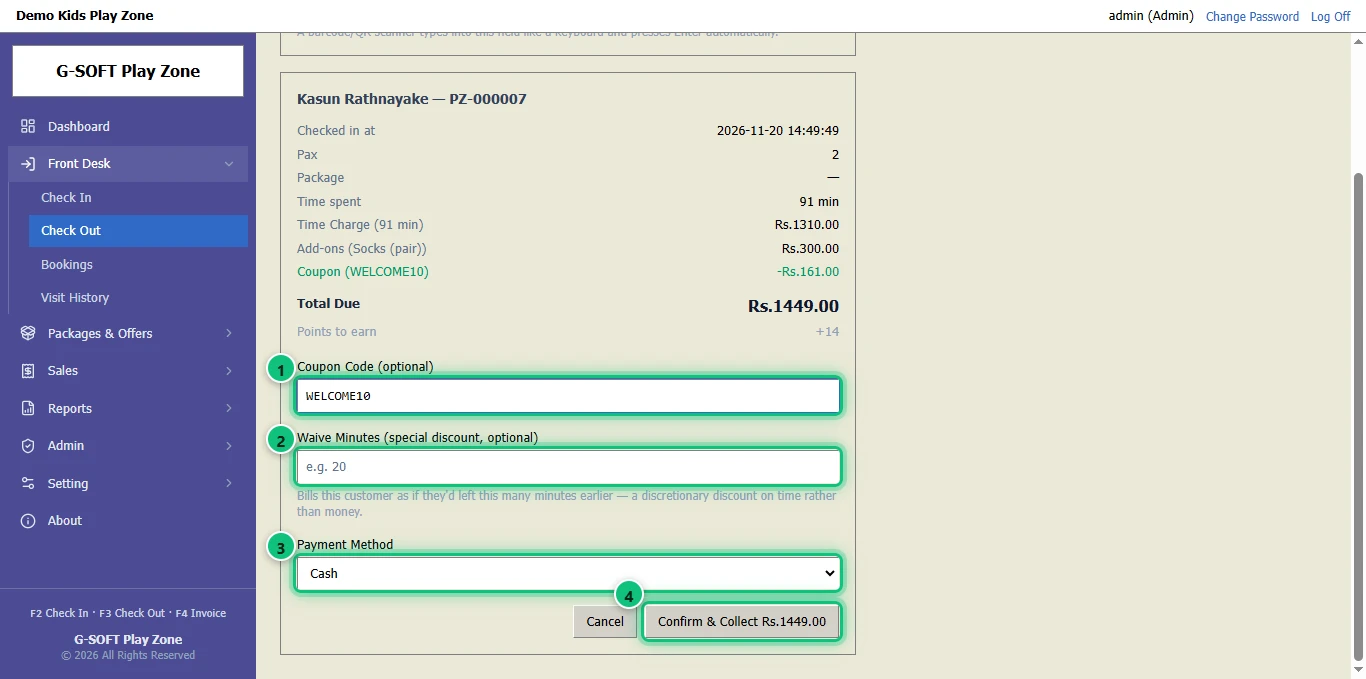
- Have a coupon? Type its code 1 — the discount comes off the bill.
- Waive Minutes 2 is an optional special discount: the bill is worked out as if they left that many minutes earlier.
- Choose the Payment Method 3 and click Confirm & Collect 4.
- කූපනයක් තිබේද? එහි කේතය 1 ටයිප් කරන්න — වට්ටම බිලෙන් අඩු වේ.
- Waive Minutes 2 අත්යවශ්ය නොවන විශේෂ වට්ටමකි: ඔවුන් එම මිනිත්තු ගණනකට පෙර පිට වූවා සේ බිල ගණනය කරයි.
- Payment Method 3 තෝරා Confirm & Collect 4 ක්ලික් කරන්න.
Step 4 of 5පියවර 4 / 5
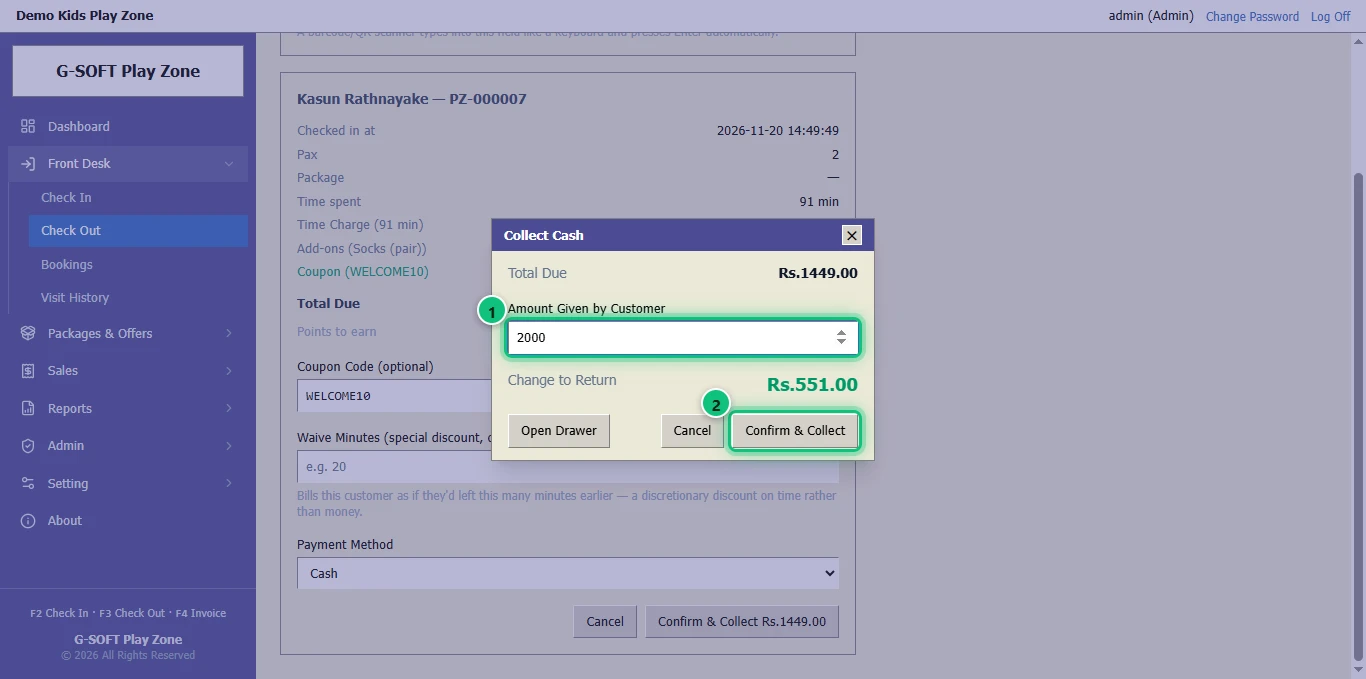
- For cash, type the money you received 1 — the change to give back is shown.
- Click Confirm 2.
- මුදල් නම්, ලැබුණු මුදල 1 ටයිප් කරන්න — ආපසු දිය යුතු ඉතිරිය පෙන්වයි.
- Confirm 2 ක්ලික් කරන්න.
Step 5 of 5පියවර 5 / 5
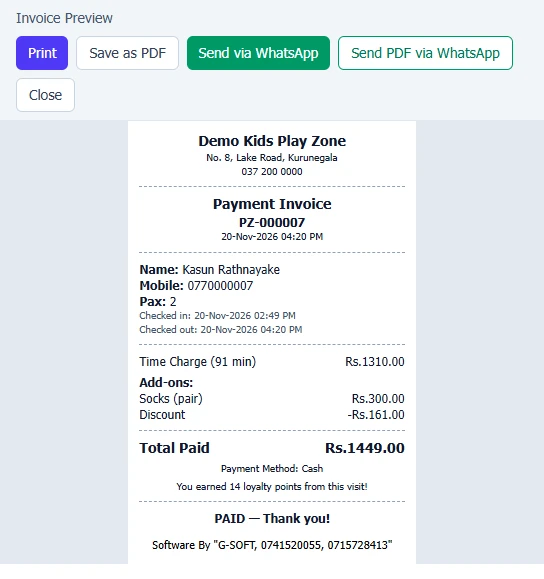
- The bill opens, ready to print — time played, add-ons, coupon discount and points earned. The visit moves to checked out in Visit History.
- බිල මුද්රණයට සූදානම්ව විවෘත වේ — සෙල්ලම් කළ කාලය, add-ons, කූපන් වට්ටම සහ ලැබුණු ලකුණු. පැමිණීම Visit History හි checked out බවට පත් වේ.